 ARZIGA
Help Center
How to fund an investment, track earnings, and request a withdrawal.
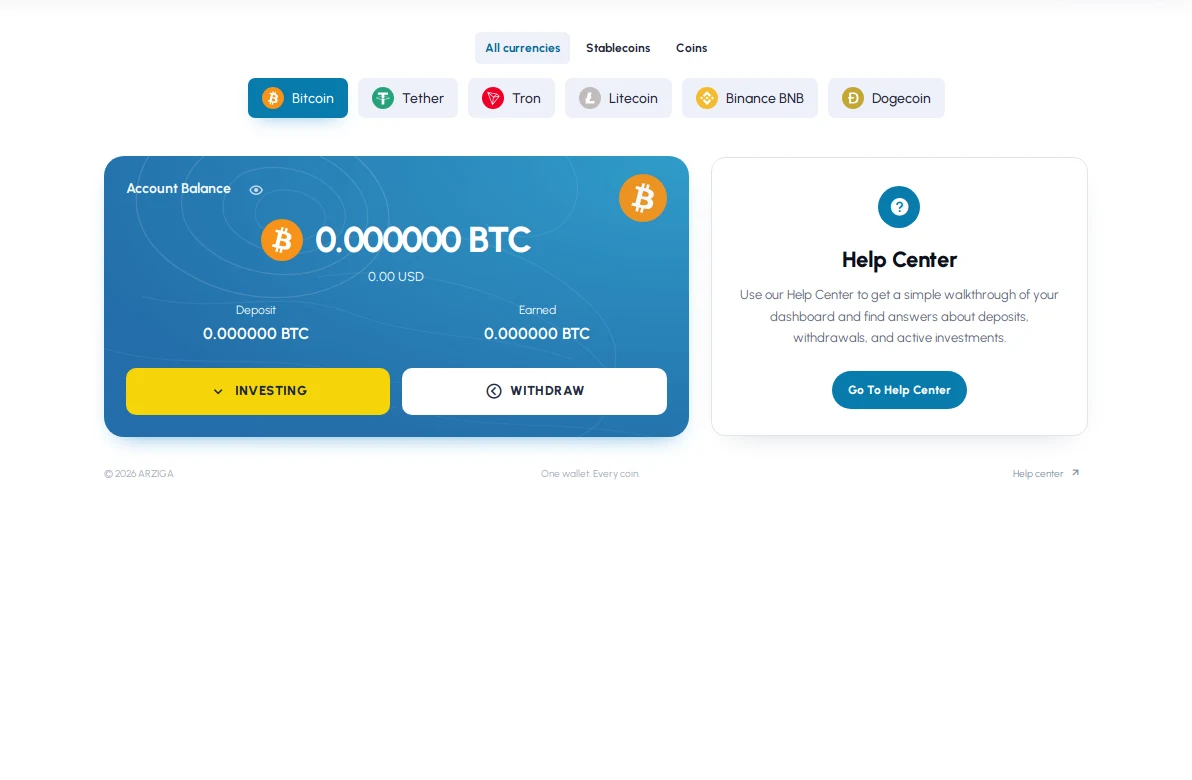
Sign in and open your dashboard
AccountAfter signing in, open Account to check your available balances, filter currencies, or use the quick actions. Choose Invest to open the investment form.
Open dashboard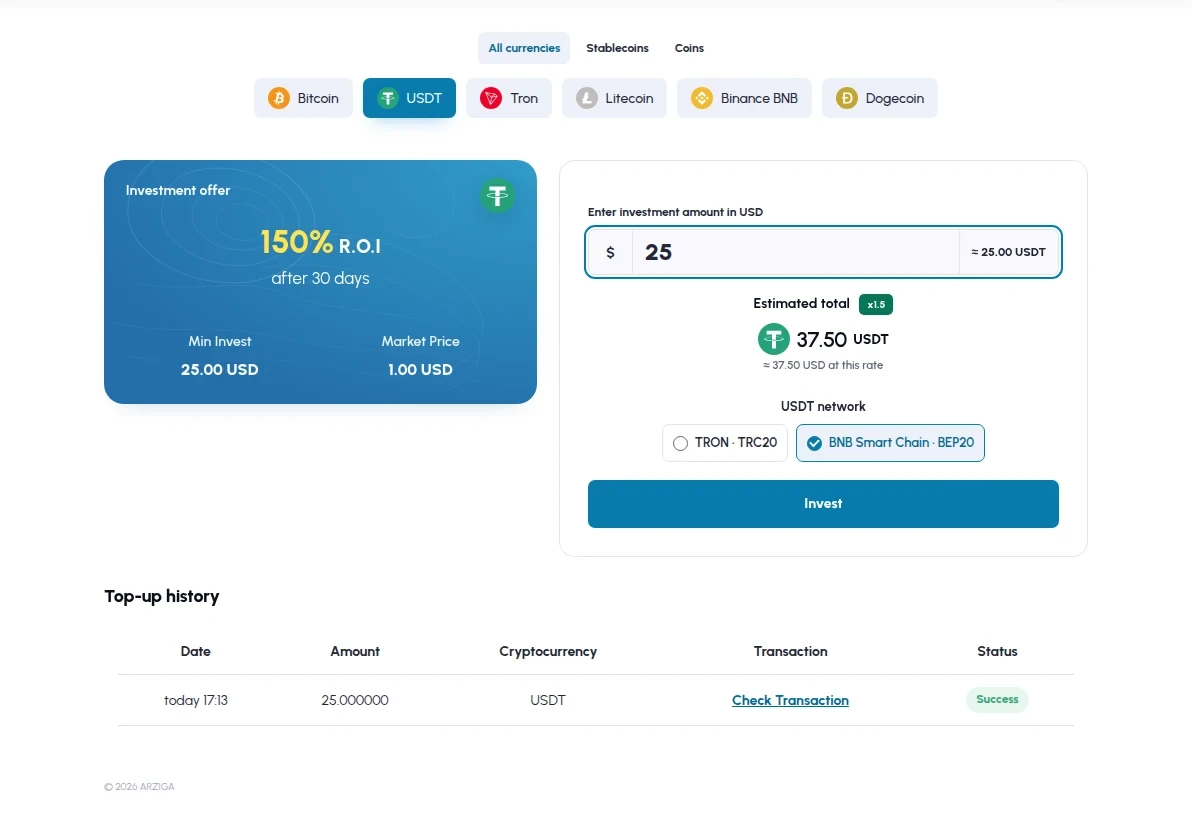
Choose a coin and set your placement amount
InvestingChoose a currency and, where offered, its network. Enter an amount from 25 USD equivalent, check the estimated total and plan terms shown in the form, then select Invest to create a payment invoice.
Go to placement form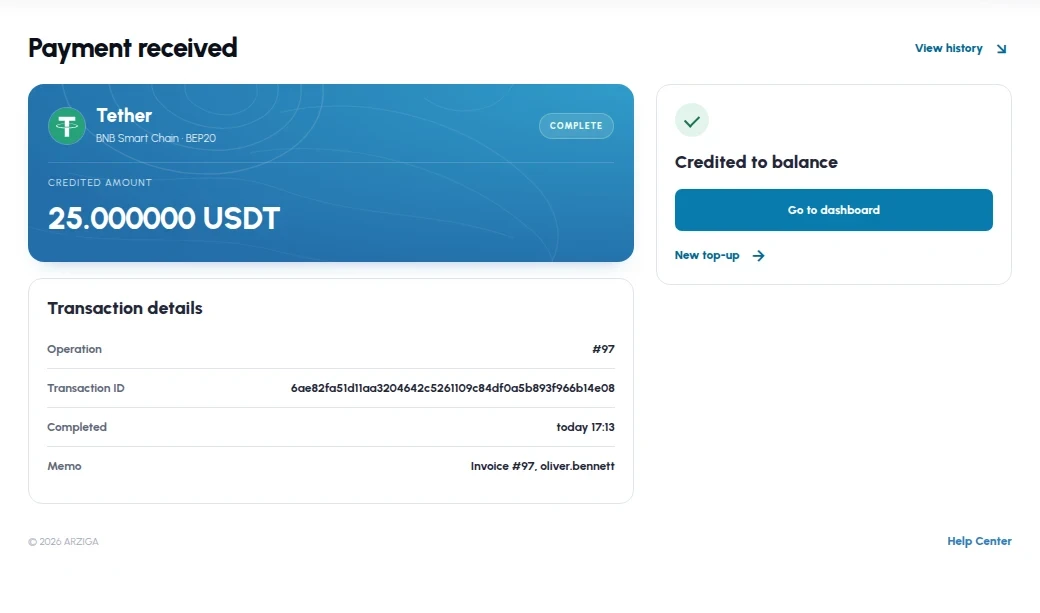
Pay the invoice on the blockchain
Top-upOpen the payment invoice created by Invest. Send the exact amount to the address on that invoice using the displayed network. After the transfer confirms, check Deposits for the activation and Top-up history for the transaction. The screenshot shows the confirmation screen after a payment is credited.
View top-up history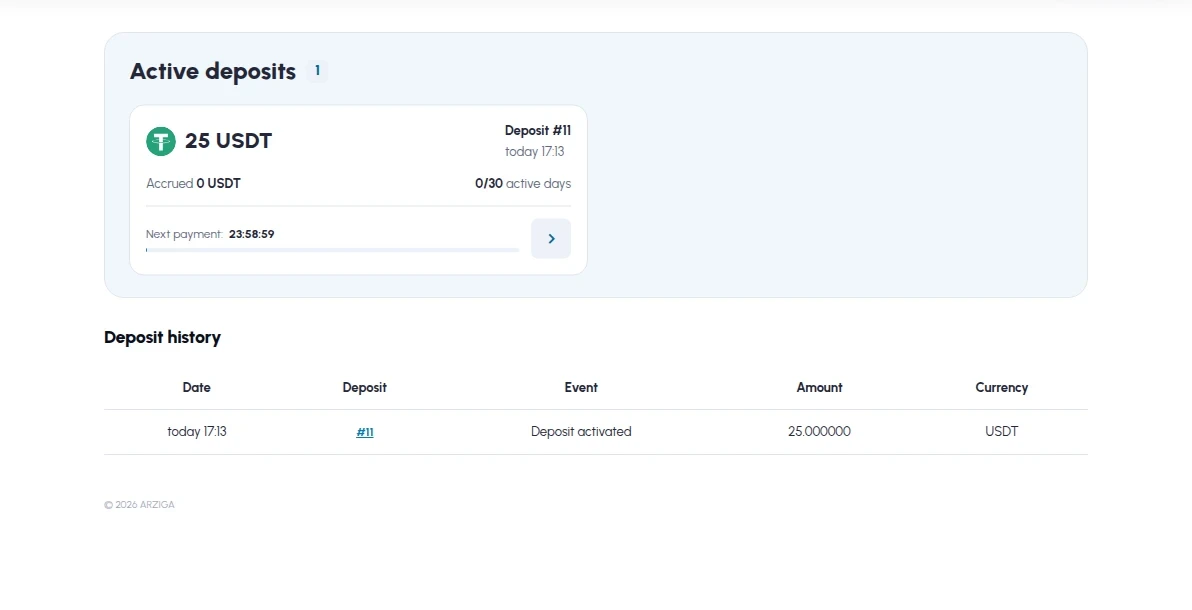
Review your active placements
DepositsOpen Deposits to see your active plans, accrued earnings, and next payment countdown. Deposit history shows each activation and each earnings credit, with the deposit number, amount, and currency.
View deposits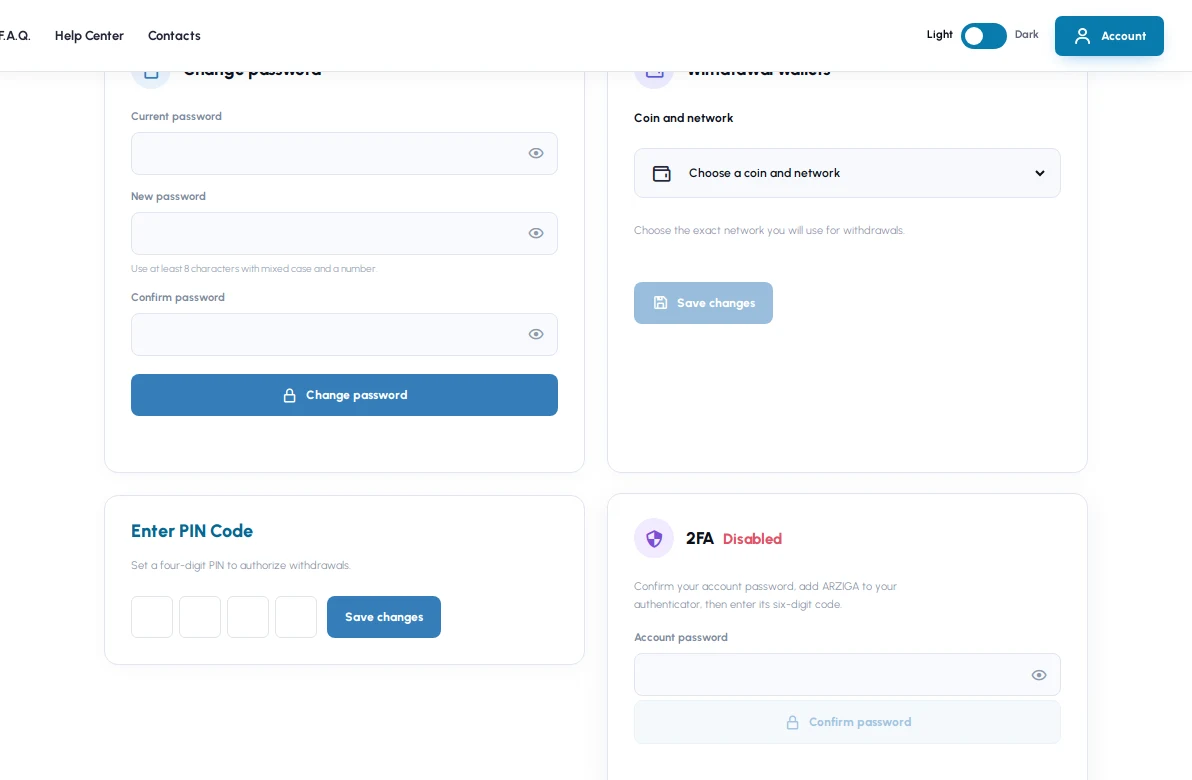
Add payout wallets in Settings
SettingsIn Settings, open Withdrawal wallets, choose a coin and network, and paste the receiving address from your wallet.
Open Settings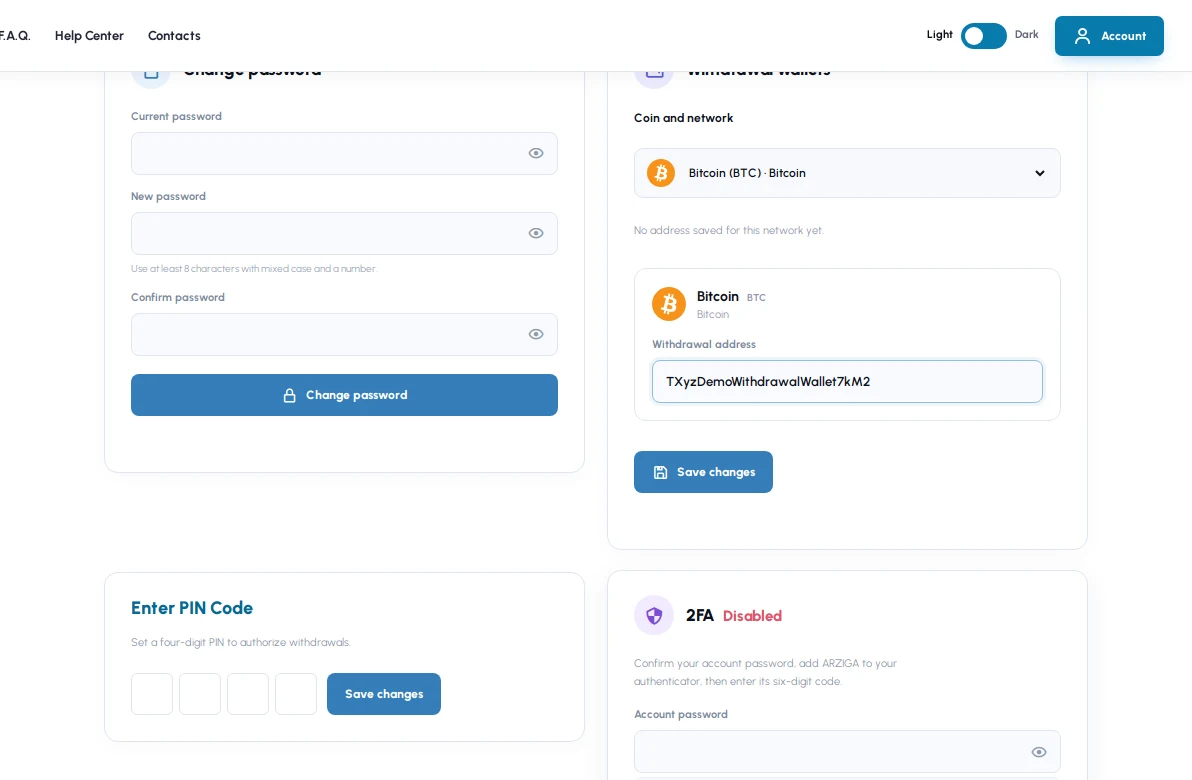
Save addresses and confirm with your PIN
SettingsCheck that the saved address matches the selected network. Enter your payment PIN if the wallet form asks for it and save. If you still need a withdrawal PIN, set it in the Enter PIN Code section.
Open withdrawal PIN settings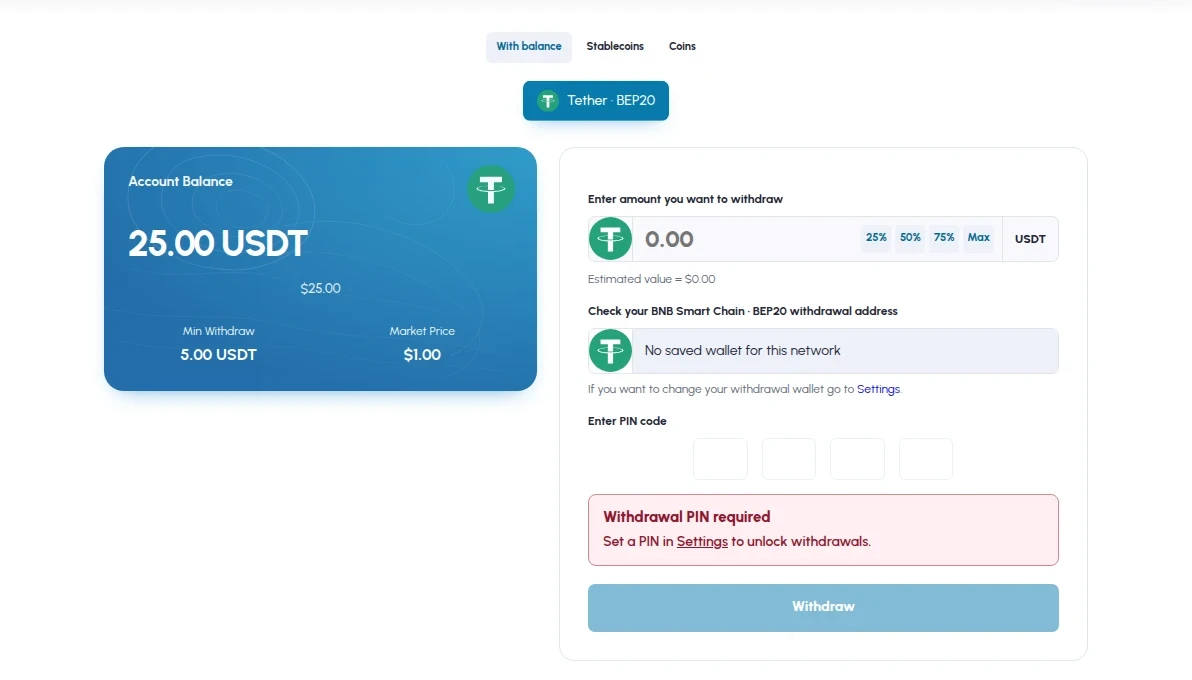
Open Withdraw when balance allows
WithdrawOpen Withdraw and select a coin and network. Check the available balance, current minimum, and saved receiving address before continuing.
Open Withdraw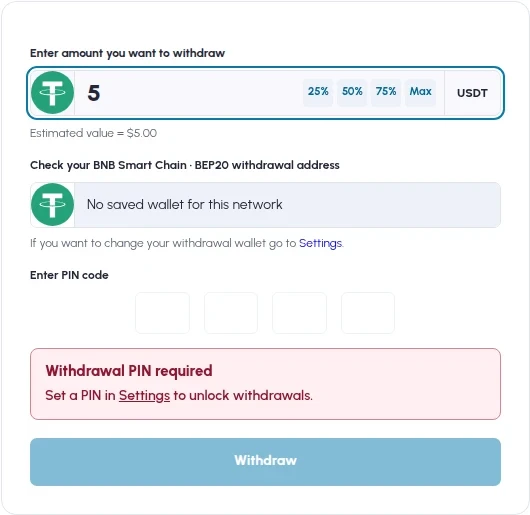
Submit a payout request
WithdrawEnter an amount and your four-digit PIN, then select Withdraw. Review the amount, network, and destination before selecting Confirm. Payout requests are reviewed manually.
Open withdrawal form
Track withdrawals in history
WithdrawIn Withdrawal history, select the status to see the request details. A completed payout shows Success. If a request stays pending longer than 48 hours, contact [email protected] with the operation ID.
View withdrawal history